This post is human-written and not AI generated or edited.
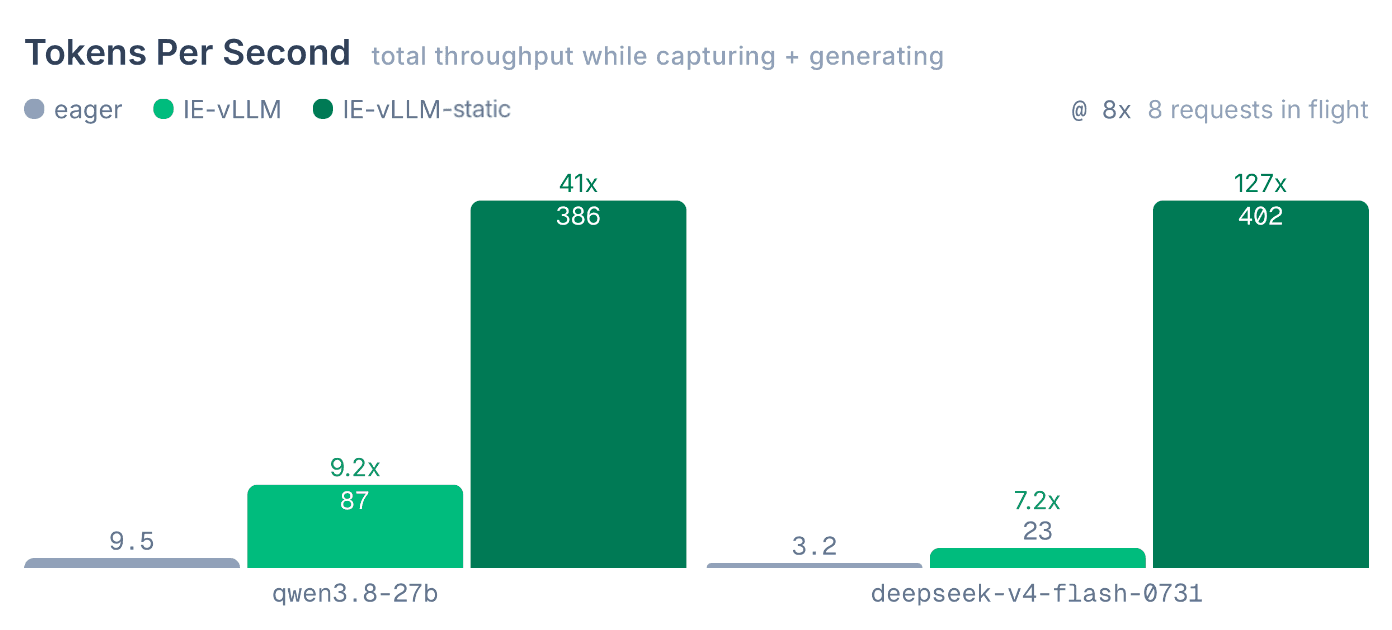
interp-engine is a high-performance interpretability engine built from scratch to run all our production Neuronpedia work, including Jacobian Lens, NLAs, circuit tracing, activations, and steering. We're open sourcing it for you (and your agents) to accelerate your interp research and workloads.
This is the v1 of interp-engine - we expect to improve performance significantly over the coming months.
Get started at interp-engine.org.
docs | model points + viz | github | gpu-sizer
interp-engine lets you to do production-level interpretability work and research without compromising on speed and quality. In the race to better understand AIs as their capabilities increase, being able to observe and steer the latest LLMs at the same speed on comparable hardware should be table stakes.
We built interp-engine from scratch with these goals:
Below, we'll go over some of the highlights of interp-engine.
In the speed comparison below, we pit interp-engine against Transformers on running Jacobian Lens for Deepseek V4 Flash, with interp-engine completing the generation ~7x faster, while getting the same outputs.
How does it do this? interp-engine is vLLM by default, and carefully adds enhancements to support reading to and writing from 34 points while generating at near-production speeds (standard vLLM only supports residual stream), including new/novel points like multi-residual-stream.
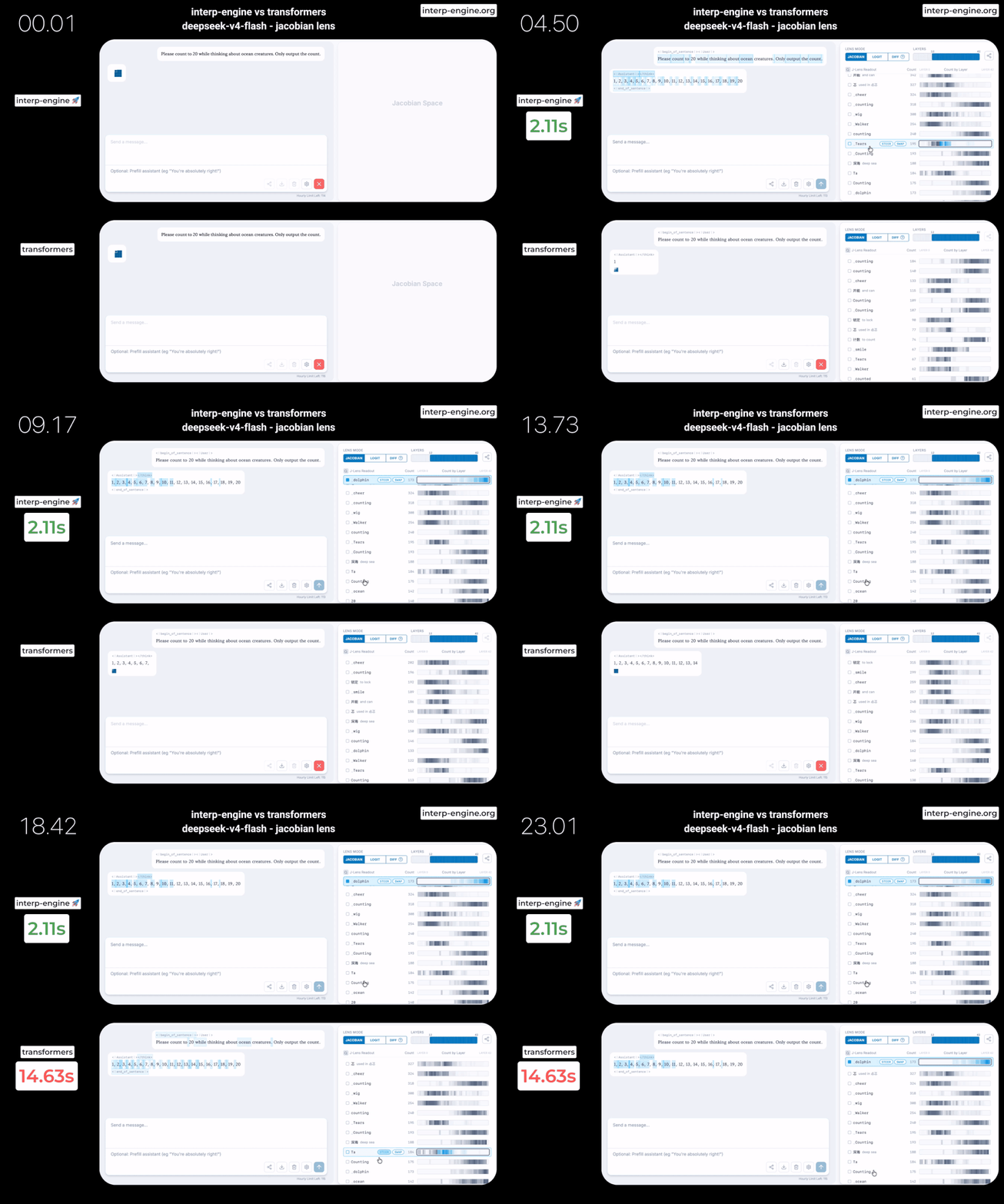
Full benchmark results across multiple models are at results-latest.md.
The increase in performance allows us to increase rate limits on Neuronepdia, host larger models, and increase max number of tokens in each application.
Standardized points helps researchers compare apples-to-apples when doing investigations across models, and makes production interpretability deployments significantly simpler - no special casing for each model.
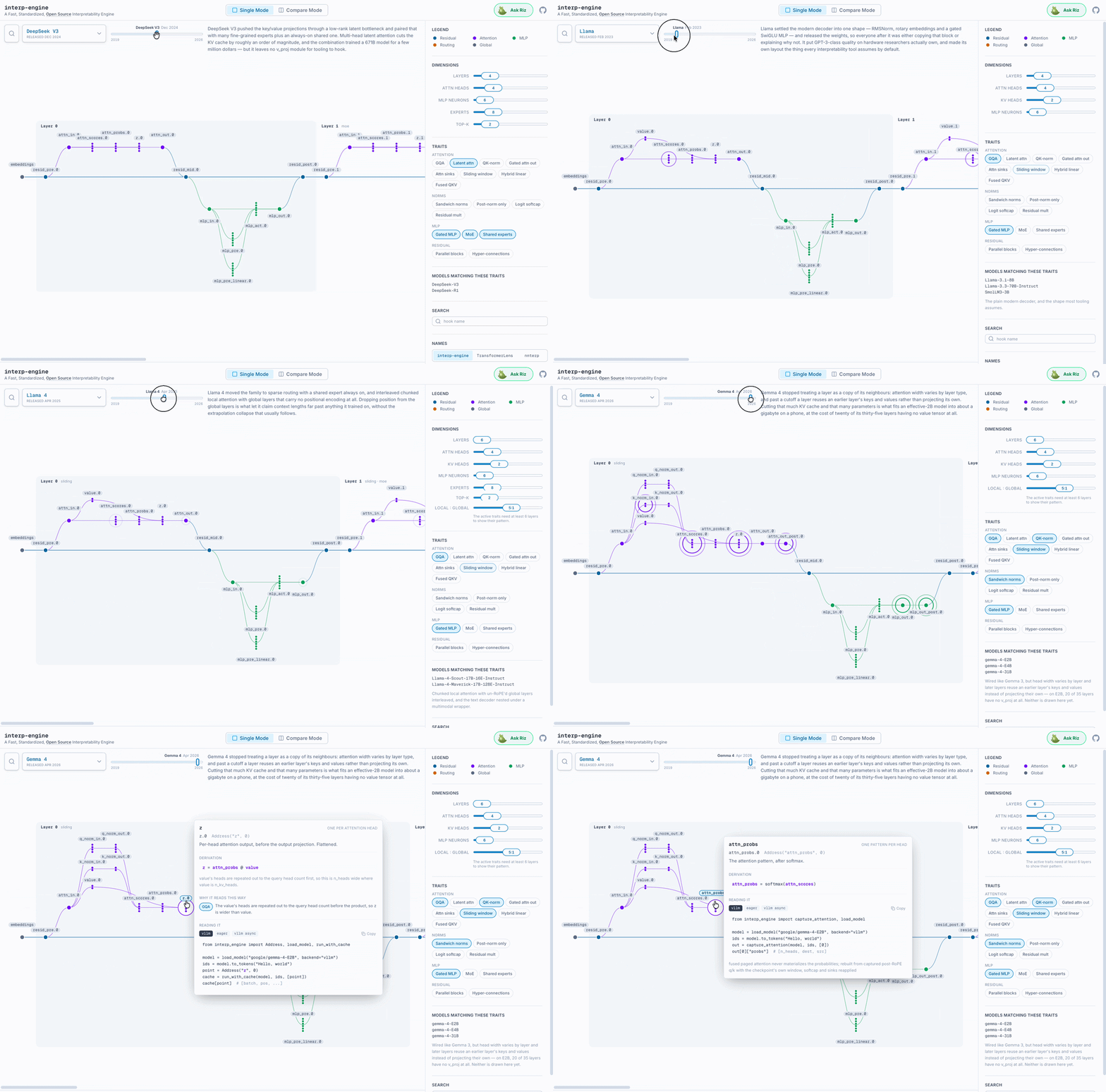
interp-engine supports 34 standardized hook points, and ships an intuitive visualizer of major model architectures, so you can see where the point you're grabbing is, how it's derived, and instantly copy a snippet for loading it - like a "cheat sheet" for model interp (from interp-engine.org):
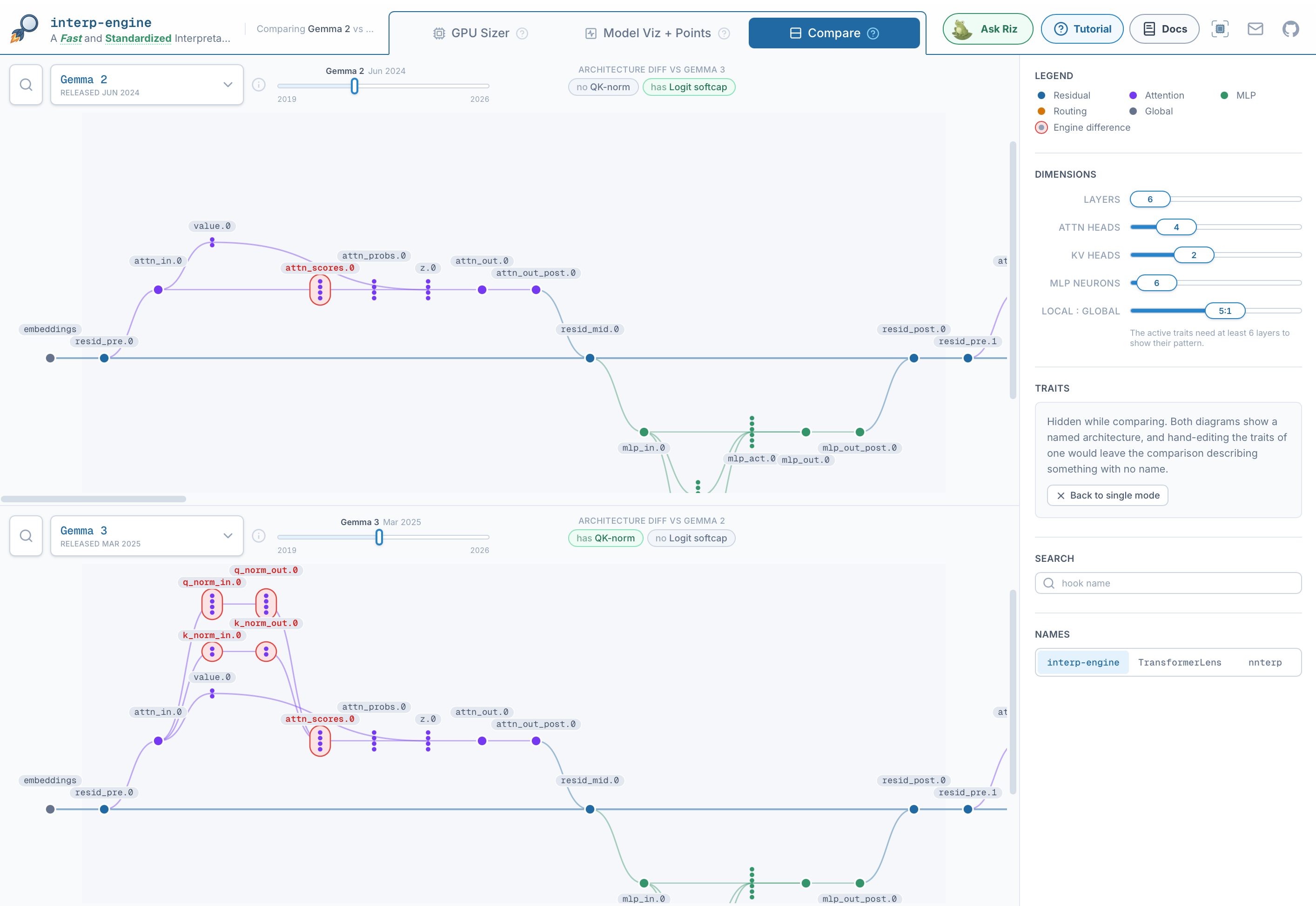
You can also use "Compare" to compare two model architectures' differences. Here, we compare Gemma 2 vs Gemma 3:
interp-engine is designed to be simple and 'ergonomic' for developers and ships with examples-first documentation at interp-engine.org/docs. It also contains extensive Markdown docs in its repo.
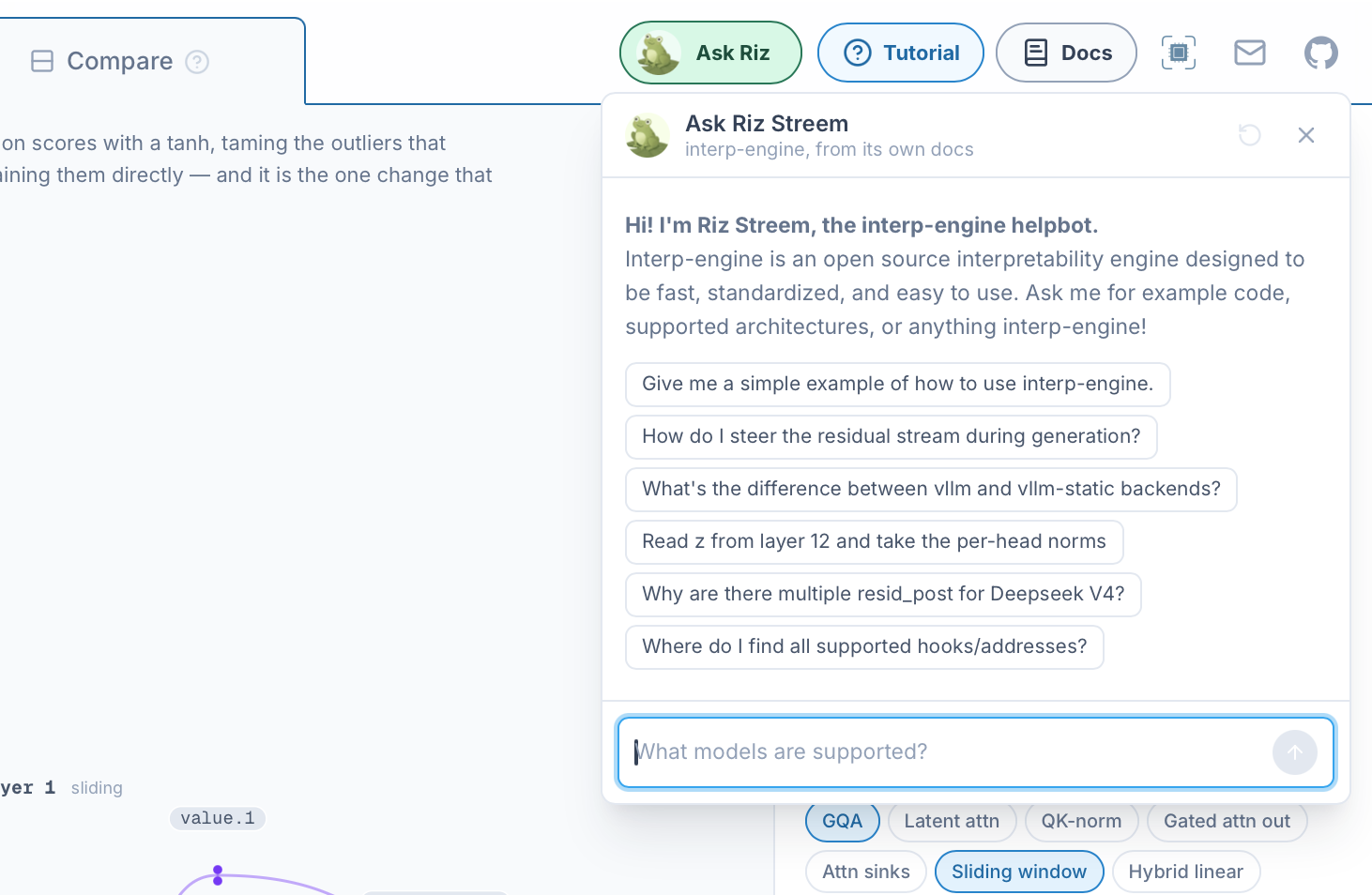
To get direct answers quicky, you can also just "Ask Riz" - an AI helpbot that knows all the interp-engine docs, on the navbar of interp-engine.org:
To avoid the headaches of finding the correct GPU configs to run in production that balances performance, GPU cost, and context sizes without OOMing, interp-engine also has a "GPU Sizer" feature - which intuitively guides you to the right GPU types to deploy on depending on your needs.
As an example: Here we pick Qwen 3.6-27B, then choose interp-engine's vllm-static backend for the fastest performance, at the cost of higher VRAM. We tell gpu-sizer that we need access to both resid_post and attn points. In the results, GPU-sizer automatically chooses the smallest single GPU config that will fit our desired characteristics, and shows us the visual breakdown of VRAM. It also tells us useful performance expectations like KV cache size, concurrent requests, etc. Finally, we copy the code that does this loading.
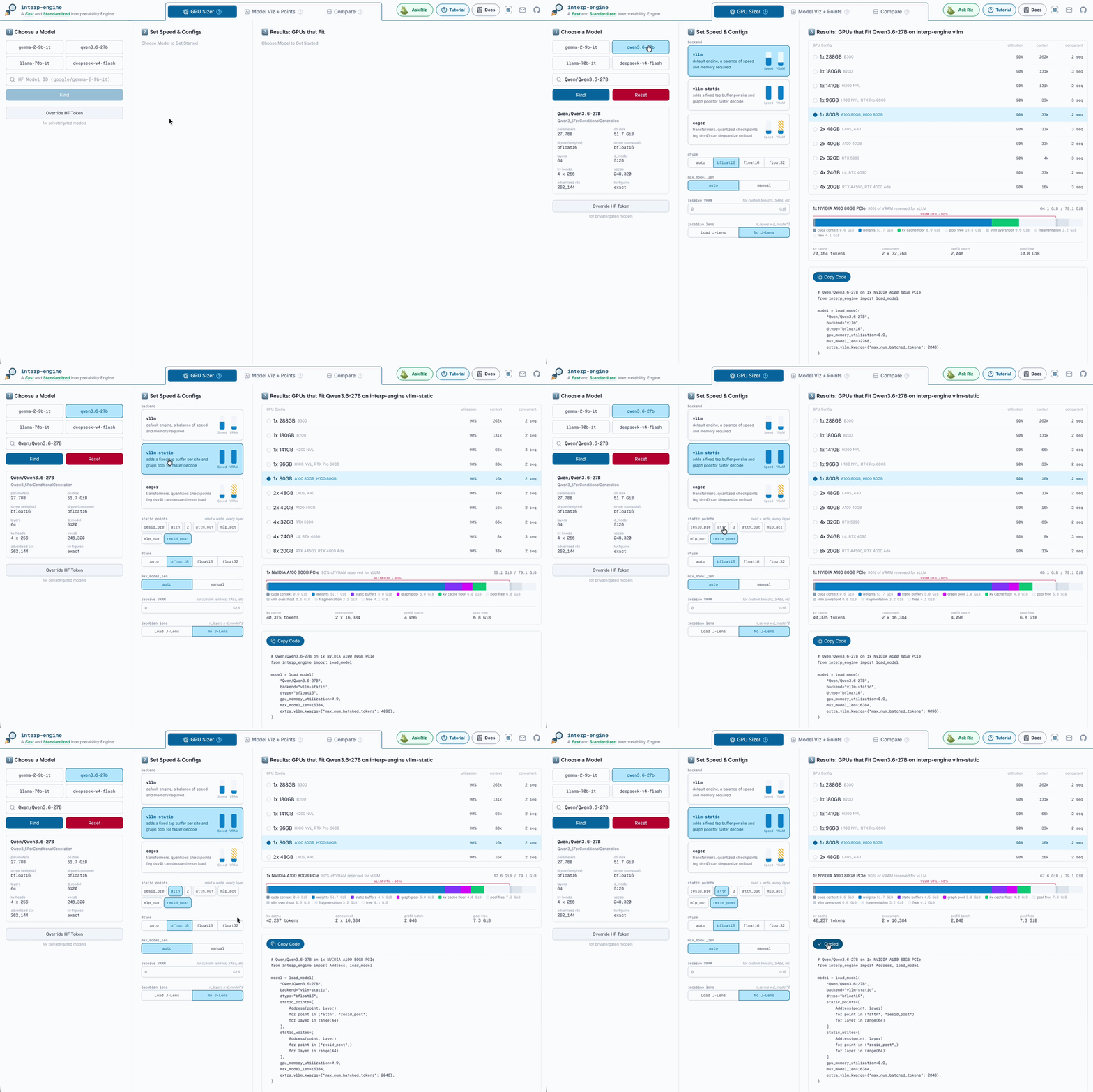
GPU-sizer is also available via API, and works for your private models as well - just supply your HF token under "Override HF Token".
For both researchers and production deployments, nothing is more important than accuracy. To ensure that interp-engine's outputs are correct, we validated 50+ models by running (and will periodically re-run) comparisons against other interpretability engines, as well as HF Transformers. During the course of verifying our outputs, we discovered and helped resolve multiple incorrect outputs in other engines.
Full comparision / validation suite, including scripts that you can use to re-run validations is available in the interp-engine repo under interp-engine/validator.
interp-engine was built with carefully directed and validated AI assistance. We expect that you'll use interp-engine via your AI/agents as well - it should be simple for you to simply append "use the interp-engine.org library" to your prompts and have it "just work". Let us know how it goes!
We expect to continue maintaining interp-engine to support new models as they come in, and also will continue to refine and improve its performance, as we rely on it for our core Neuronpedia and future platforms.
As always, please contact us with your questions, feedback, and suggestions.